WORDPRESS PLUGIN · GRAVITY FORMS ADD-ON

One email.
All your submissions.

Entry Digest for Gravity Forms replaces your inbox flood of per-submission notifications with a single, clean digest - delivered on your schedule, with the fields you choose.

A digest your inbox will actually like.

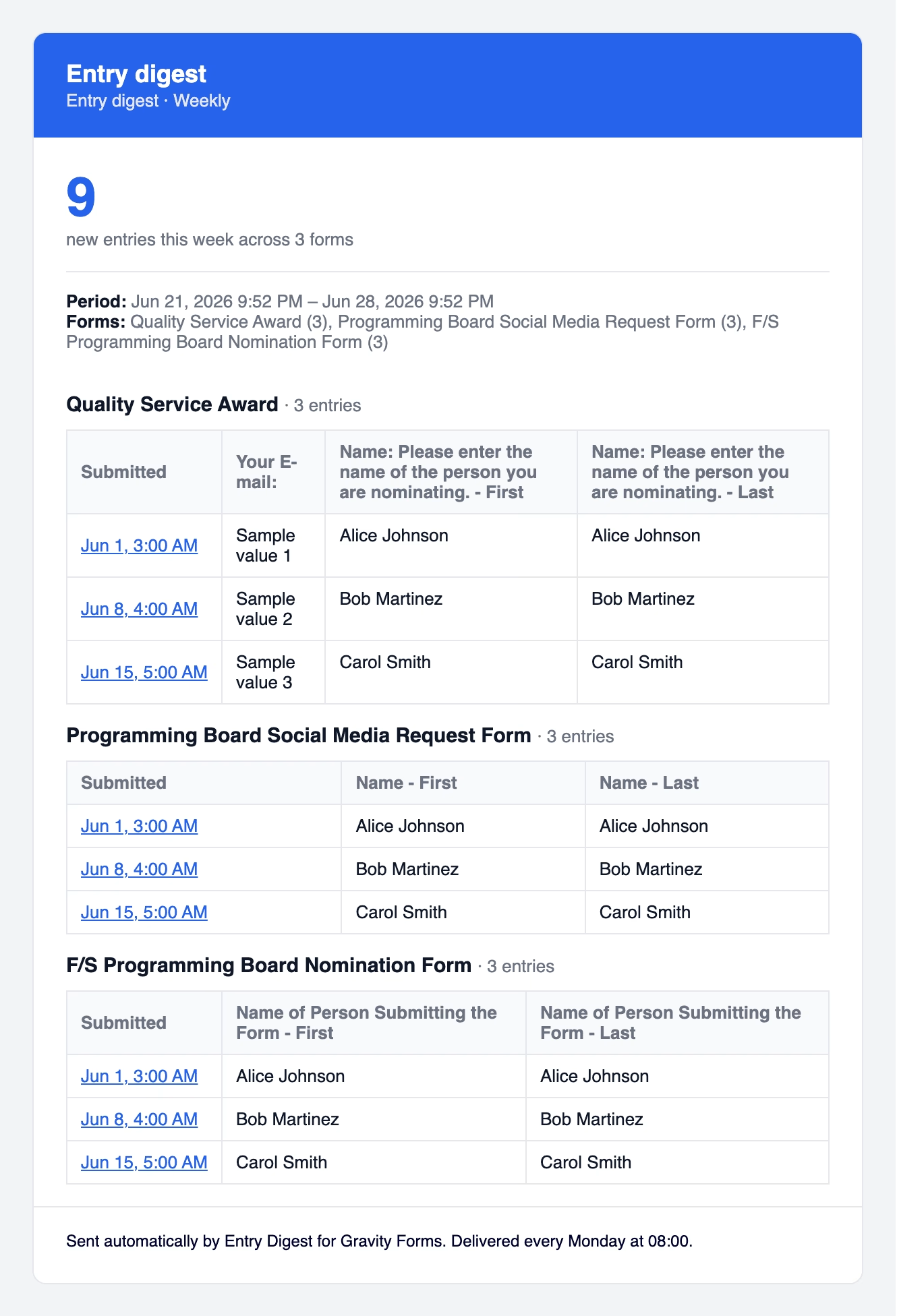
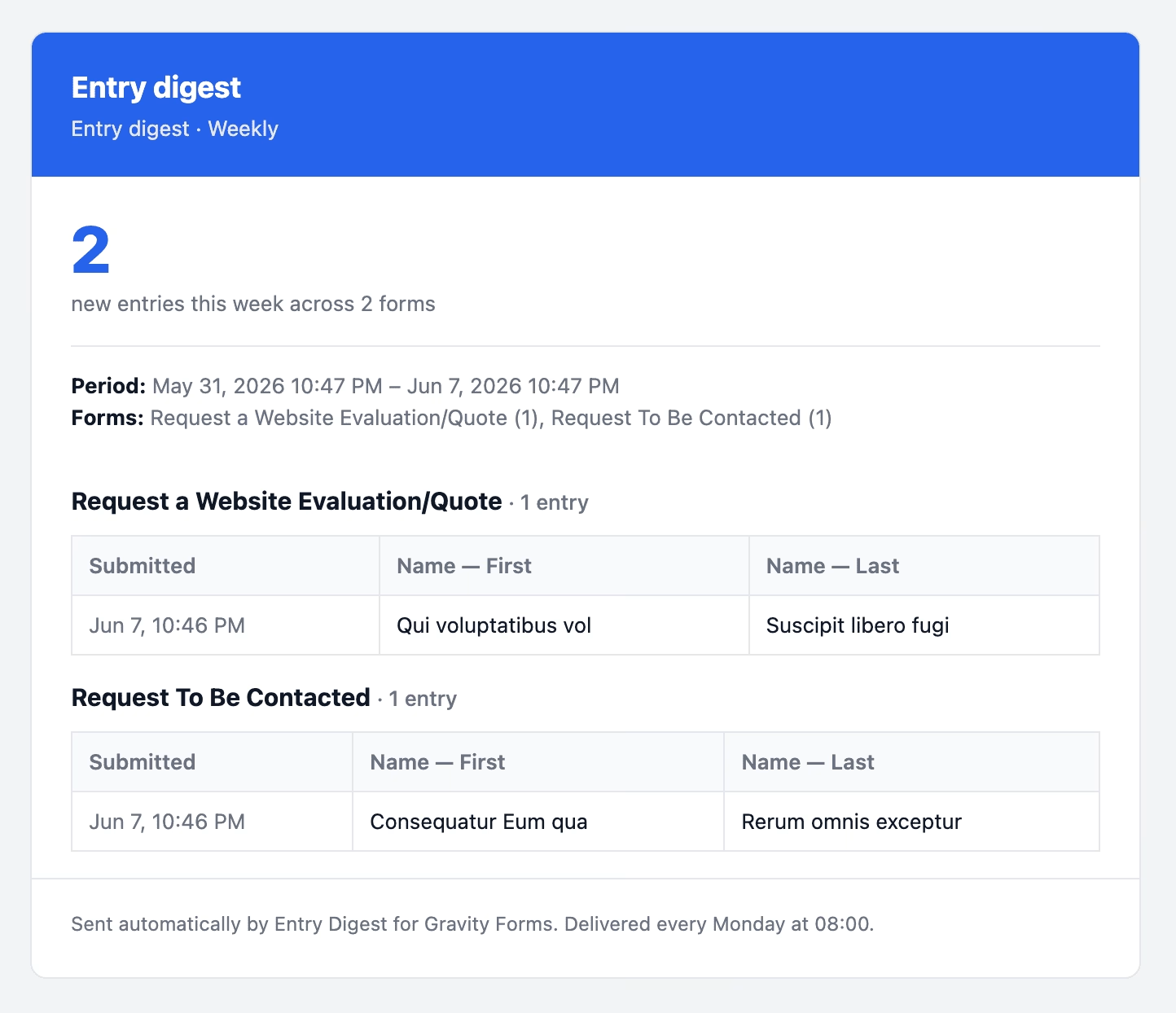
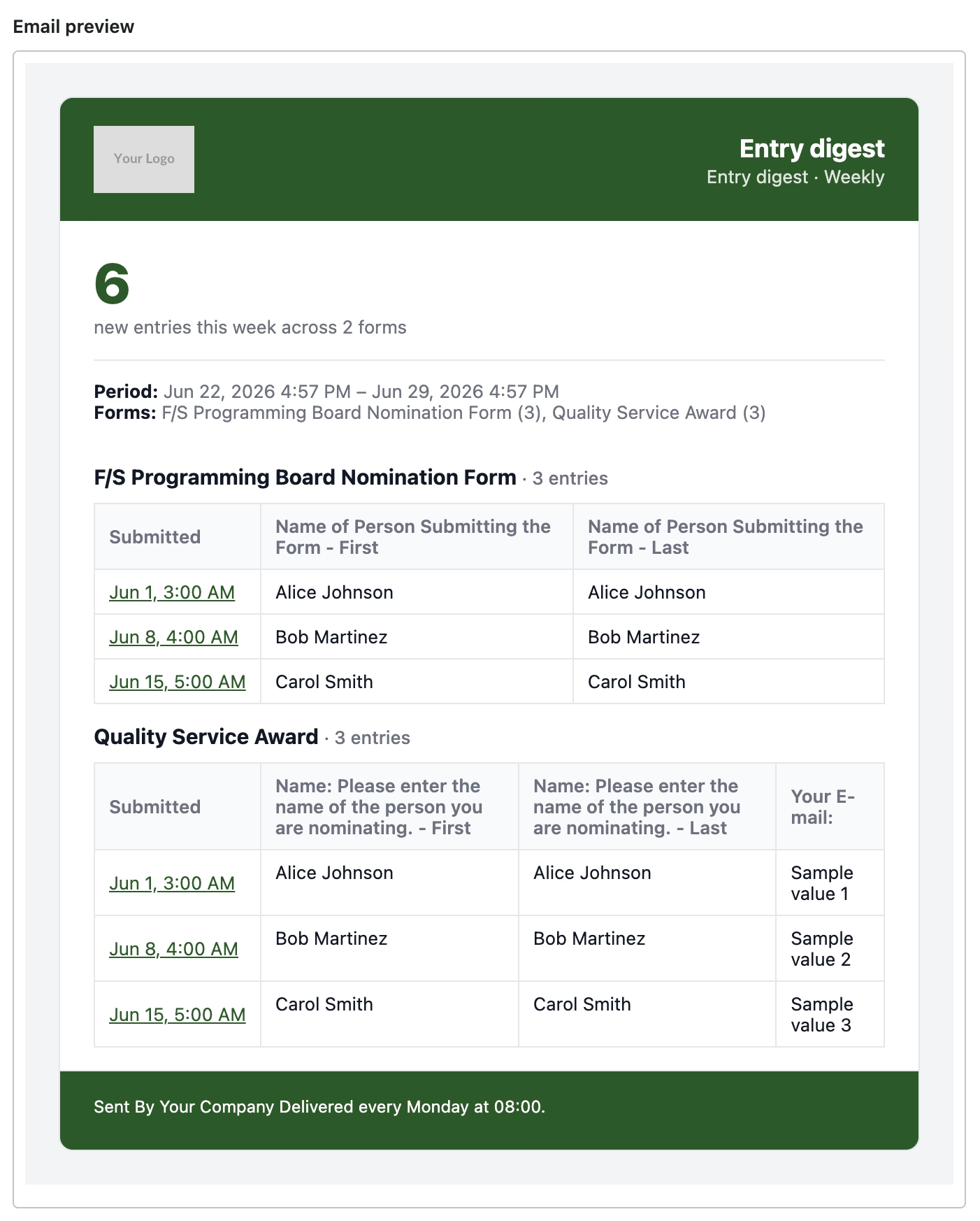
Each email opens with a summary block – how many entries arrived and the date range – followed by an inline table of the actual submissions you care about.

Scan a full week of contact form traffic in thirty seconds instead of thirty emails. Works cleanly even when no entries arrive: you get a tidy “no new entries” note rather than silence.

Digest Email

What's Included

Everything you need to stop drowning in form emails

Simple to set up. No configuration headaches. Works with your existing Gravity Forms installation.

Summary + Entry Table

Every digest leads with an entry count and date range, followed by an inline table of the submissions you've selected - readable on desktop and mobile.

Daily or Weekly Scheduling

Choose the day and time that works for your team, in your site's own timezone. WP-Cron handles delivery automatically - set it and forget it.

Choose Your Fields

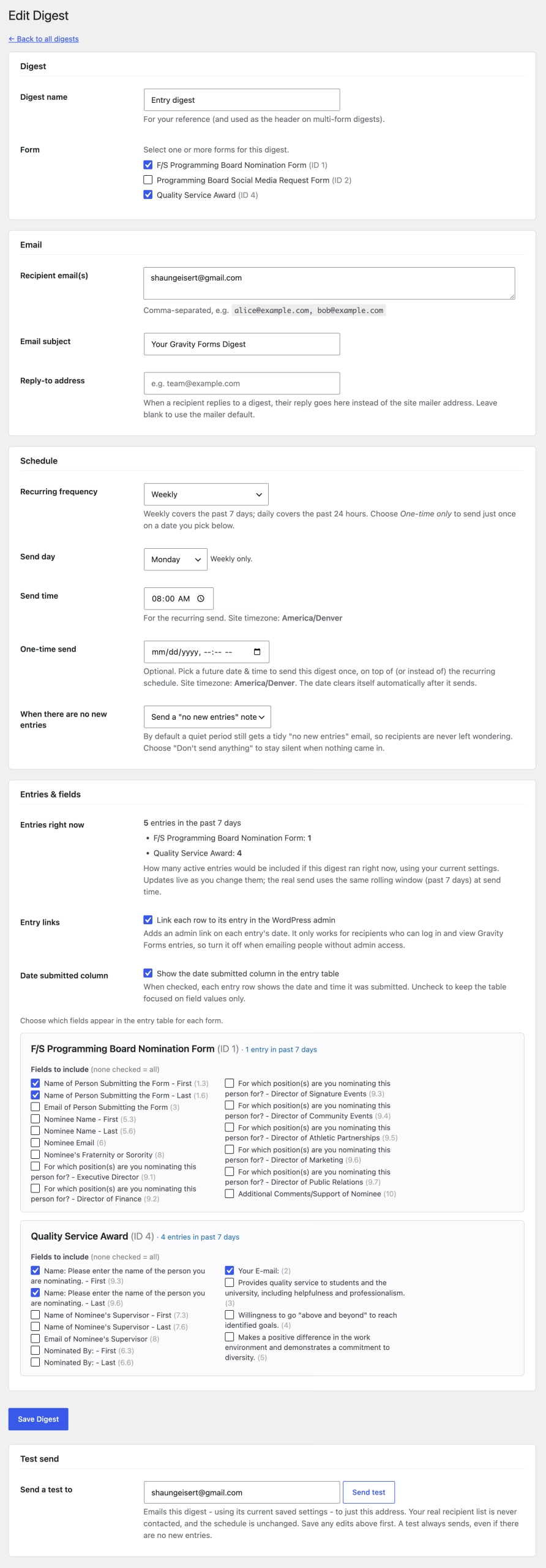
Pick exactly which form fields appear in the digest table. No irrelevant columns, no clutter - just the data your recipients need to act on.

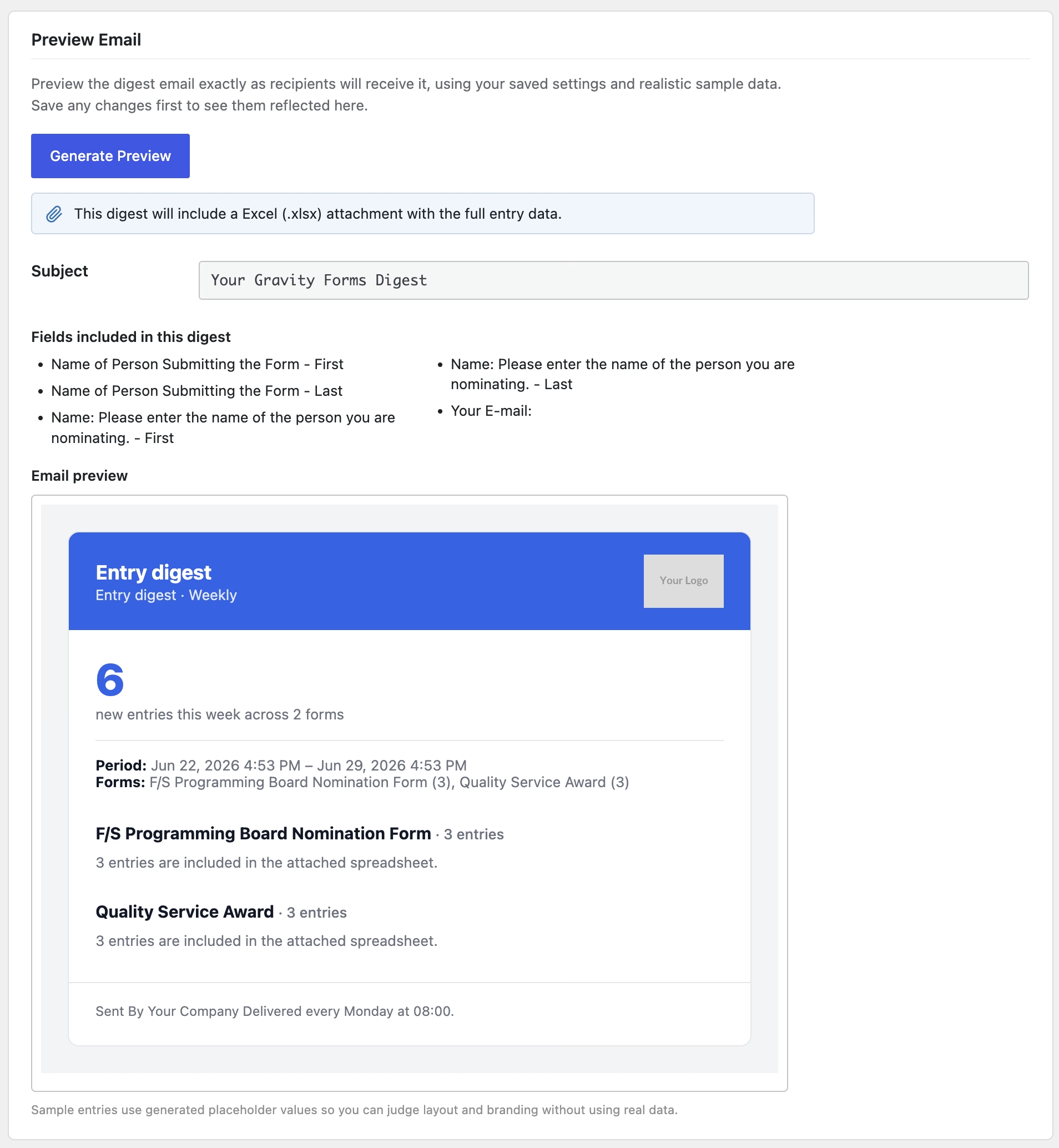
Send Now Preview

Don't wait for the next scheduled run. Hit the Send Now button to build and email a digest immediately - perfect for confirming your setup looks right.

Zero Phone-Home

Entry Digest doesn't track usage or send data to third parties. Digest emails go through your own site's wp_mail() - your data stays yours.

One-Time Sends

Need a digest for a specific date - an event recap or an end-of-campaign summary? Schedule a one-time send for any future date and time. It goes out once, then clears itself automatically, on its own or alongside your recurring schedule.

Graceful When Quiet

Slow periods happen, and you decide what they look like. Per digest, choose to receive a tidy "no new entries" note so you know it ran — or stay completely silent until the next submission arrives.

Scheduler Health Check

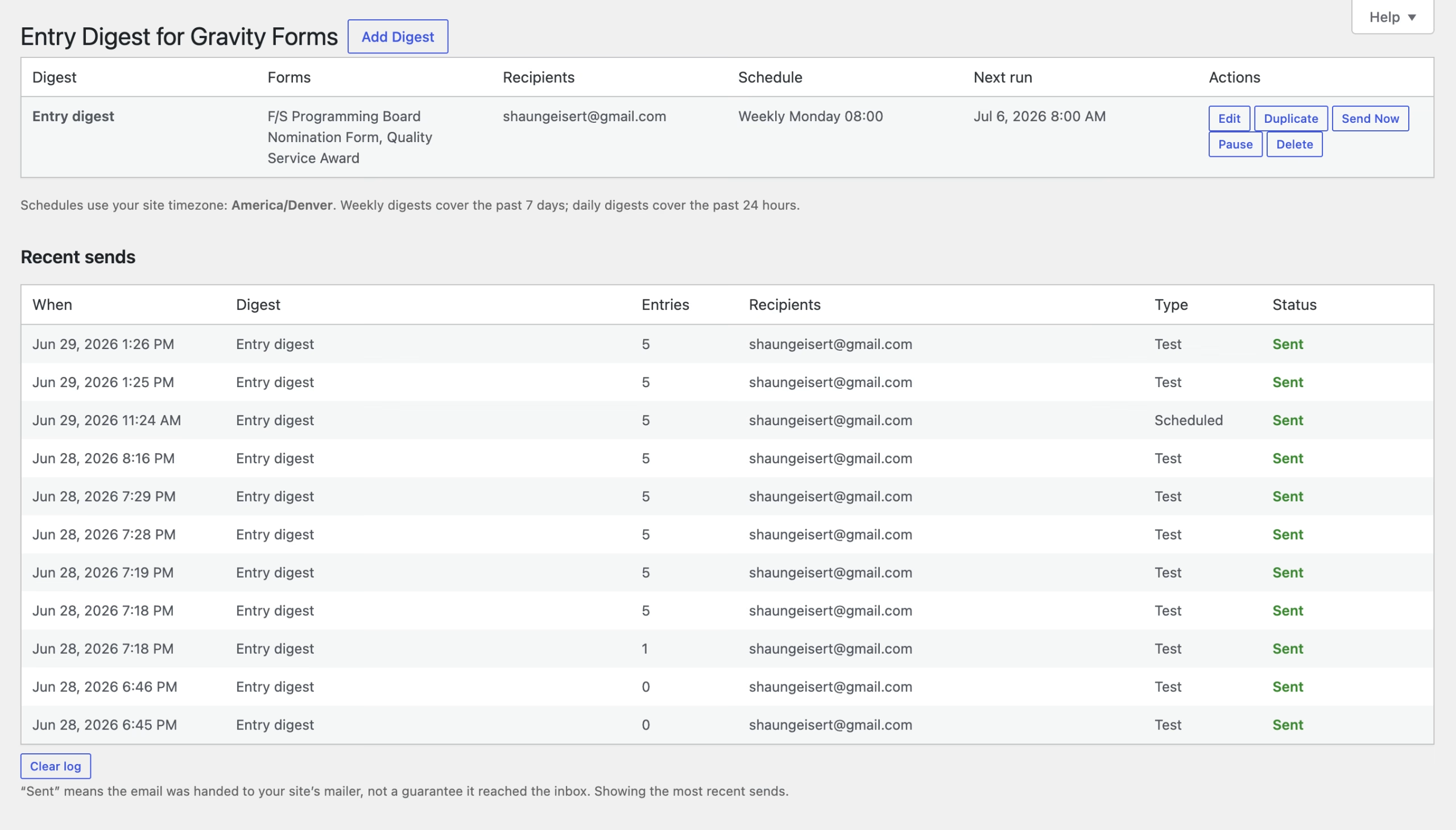
If a scheduled digest is overdue, a warning appears right on the digest list, explaining why WP-Cron likely isn't firing and what to do. No silent failures, no guessing.

Send Log

See the 10 most recent sends with time, entry count, and delivery status

Setup

Up and running in minutes

Find the plugin under Forms › Entry Digest in your WordPress admin once Gravity Forms is active.

1

Install & Activate

Install Entry Digest from WordPress.org. Gravity Forms must be active – if it isn’t, your settings stay safely available under Tools instead.

2

Configure Your Digest

Pick a form, add your recipients, write a subject line, choose which fields to show, and set a daily or weekly schedule with your preferred send time.

3

Let It Run

WP-Cron delivers your digest automatically. Hit Send Now anytime to preview it on demand. One inbox. One clean email. Done.


Go Pro

Ready to scale? Pro adds routing, exports, and branding for teams

CSV & Excel Attachments PRO

Attach the full period's entries as a CSV or native Excel (.xlsx) file. Recipients get the scannable summary in the email and the complete dataset ready to sort, filter, or import.

Conditional Filtering PRO

Include only the entries that matter. Set rules like Status is Complete or Budget greater than 1000 - match all or any - and your digest filters itself automatically on every run.

Per-Recipient & Role Routing PRO

Send the right digest to the right people. Route the admissions form to your admissions lead and the support form to your help desk — by individual recipient or by WordPress role.

Custom Email Branding PRO

Make every digest yours: add your logo above, left, or right of the title, set the header accent and text colors, pick an email-safe font, and customize the footer background, text color, and credit line.

Email PreviewPRO

See what recipients will get before you send. Preview the fully styled digest - with your branding, fields, and realistic sample data - right in the editor, instead of waiting for the next scheduled run.

Notification Controls PRO

Manage each form’s Gravity Forms notifications from inside the digest editor. Switch off the per-entry emails once a scheduled digest covers them - the toggles change Gravity Forms directly and take effect immediately.

Form & Field Ordering PRO

Arrange a digest exactly how you want it. Simple up/down controls set the order forms appear and the order fields show as columns in the entry table.

Extended send history PRO

Configurable send-log retention beyond the default of ten recent sends.

Priority Support PRO

Get fast, direct help from the developer. Pro licenses come with priority email support so setup questions and edge cases don't sit in a queue.

Free & Pro

Start free. Scale with Pro.

The free plugin is fully functional on its own - unlimited digests and multi-form included. Pro is for teams and agencies who need routing, data exports, branding, and editor workflow tools.

Free

Entry Digest for Gravity Forms

Unlimited digests, fully functional

Pro Start with a 14-day free trial, no credit card required

Entry Digest for Gravity Forms Pro

For teams, agencies, and multi-form sites

20% OFF WITH COUPON TAKE20

$39.99
$31.99

$69.99
$55.99

$129.99
$103.99

FAQ

Common questions

Yes – Entry Digest reads entries through the Gravity Forms API, so Gravity Forms must be installed and active for digests to send. If Gravity Forms is inactive, the plugin’s settings remain available under Tools › Entry Digest so your configuration is never lost.

Yes – every Pro feature is free to try for 14 days. No credit card required; just start the trial and you’re in. Use the Send Now button during your trial to see a full Pro digest in seconds instead of waiting for the schedule. If you cancel, you simply drop back to the fully-functional free version – your digests keep working.

Go to Forms › Entry Digest in your WordPress admin (inside the Gravity Forms menu). If Gravity Forms isn’t active, the page appears under Tools › Entry Digest instead.

Digests run via WP-Cron at the day and time you choose, in your site’s own timezone. Weekly digests cover the previous 7 days; daily digests cover the previous 24 hours. Note that WP-Cron fires on site traffic – very low-traffic sites or sites that have disabled the native WordPress cron may benefit from a real server cron job (such as UpTime Robot) to guarantee timing.

Yes. Every digest has a Send Now button that builds and emails it immediately — great for confirming your setup and recipient list are correct before the first scheduled run.

Yes. Each digest has an optional one-time send field: pick a future date and time and the digest goes out once, then the date clears itself automatically. You can use it on its own (choose “One-time only”) or in addition to a daily/weekly schedule. A separate lookback setting controls how far back the one-time send reaches for entries, and defaults to everything since the form was created.


Digests are sent through your site’s standard wp_mail() setup. If other WordPress emails (like new-user notifications) aren’t being delivered, a transactional email or SMTP plugin – such as WP Mail SMTP – usually resolves it. Alternatively, in the plugin’s settings, for the “When there are no new entries” option, make sure you have not selected “Don’t Send Anything”. Also, check the digest list – if the scheduler is the problem, a warning will appear there with guidance. Finally, the plugin logs delivery problems to your PHP error log.

By default the digest still sends a tidy “no new entries” note so recipients know it ran and nothing was missed. If you’d rather stay silent during quiet periods, set that digest’s “When there are no new entries” option to “Don’t send anything.”

As many as you like. The free version supports unlimited digests, and a single digest can combine entries from one or several forms into one email – there is no limit and nothing is gated. Pro adds routing, conditional filtering, CSV/Excel attachments, custom branding, and other team features, but form and digest counts are unlimited in free.

Ready to clean up your inbox?

Entry Digest is free to download from WordPress.org. Install it in minutes, no configuration headaches required.

Contact Us Today

Name(Required)